How to book equipment from your union
Finding a store, checking what's free, choosing your items and times, and collecting and returning them
If your university/union lends out equipment, such as cameras, tripods or AV gear, you can check what's free and book it online. Follow these steps to borrow something:
Booking items
Open the store: Use the link shared with you by your university/union. You can also find the stores you can book from in your profile: open the Inventory tab and click View store under Book from.
Check what's free: The store page shows an availability calendar. Each day shows how many items are free all day and how many are partly booked. Click on a day to see the times each item is already booked.
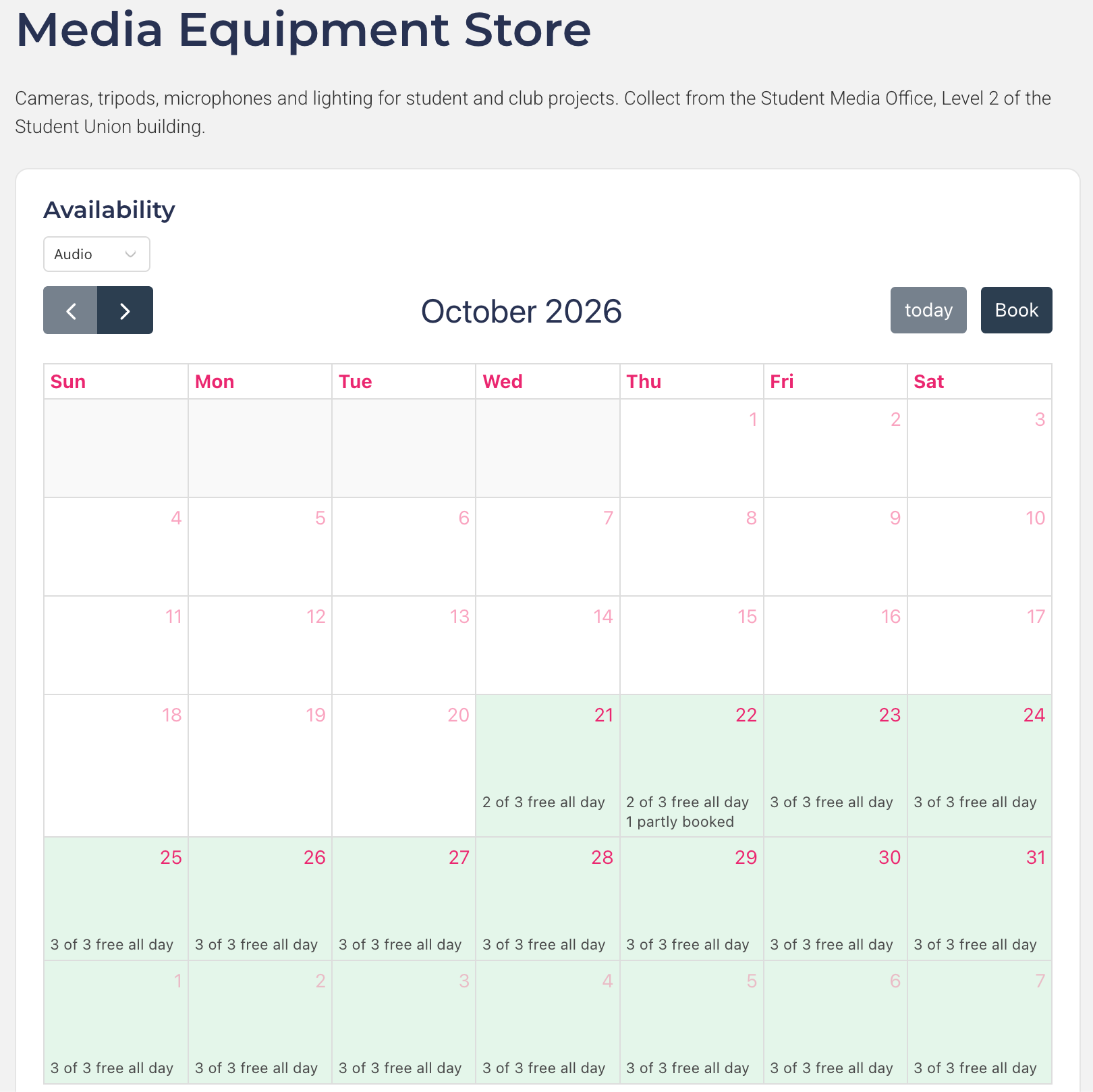
Open the booking form: Click Book next to the booking form, or on the calendar. You'll be asked to log in if you aren't already.
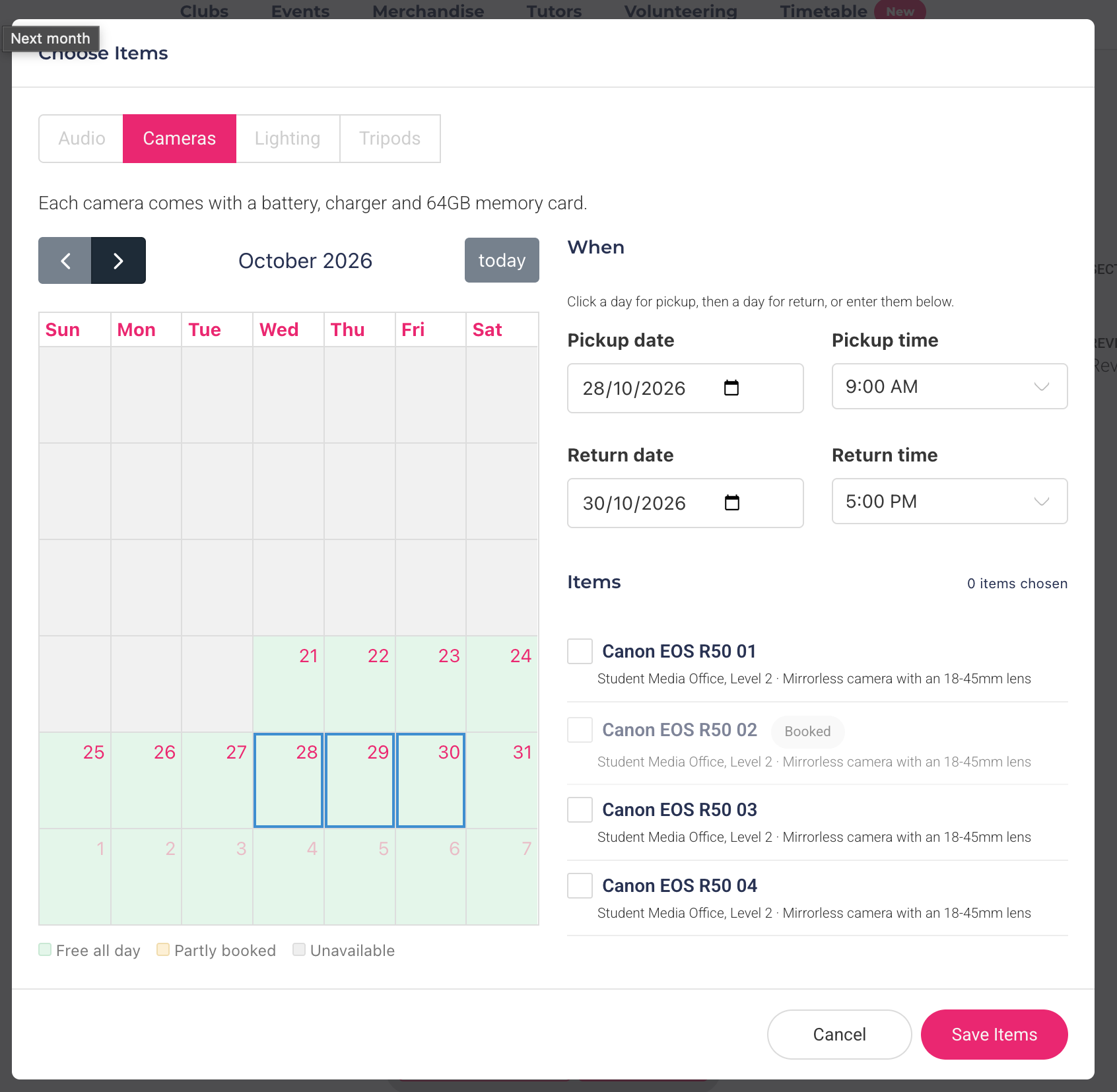
Choose your times: On the form, click Choose Items. Pick a pickup date and time and a return date and time — either click a day for pickup and then a day for return on the calendar, or enter them underneath. Times are in half-hour steps, and you can book up to 12 months ahead.
Choose your items: The items free for your times are listed underneath. Tick the ones you need; items that are already booked show as Booked and can't be ticked. Each item shows its photo, if it has one, so you can check you're booking the right one. If the store has more than one group of items, switch groups with the tabs at the top. Click Save Items.
Submit the form: Answer any other questions on the form and submit it. If you're not ready yet, you can save your progress and come back to it later.
After you've booked
Requested: your booking starts as a request, which your university/union will approve or reject. Until it's approved, the item may still go to someone else, so keep an eye on its status.
Approved: the item is yours for those times. You'll get a reminder email up to an hour before your pickup time.
Collecting: go to the pickup location at your pickup time. Once the items are checked out to you, they show as Out.
Returning: you'll get a reminder email up to an hour before your items are due back. Please return them on time, as other students and clubs may be waiting for them. If you need them for longer, contact your university/union before the return time. Late items show as Overdue, and you'll receive an email asking you to return them.
You can see the status of your bookings on the store page under Your bookings, or in the Inventory tab of your profile (see Managing your equipment bookings).
Good to know
Once you've submitted a booking form, you can't change its items or times yourself. Cancel the booking and book again, or ask your university/union to change it for you.
If a form says This form is only open to some students, it's limited to certain groups of students and you won't be able to book through it.
If the store says it isn't taking bookings, it has been paused for now.
Was this helpful?
Still need help? Ask the team