Getting Started
Head to Clubs -> Club Management to access a comprehensive overview of your clubs’ activities on Rubric.
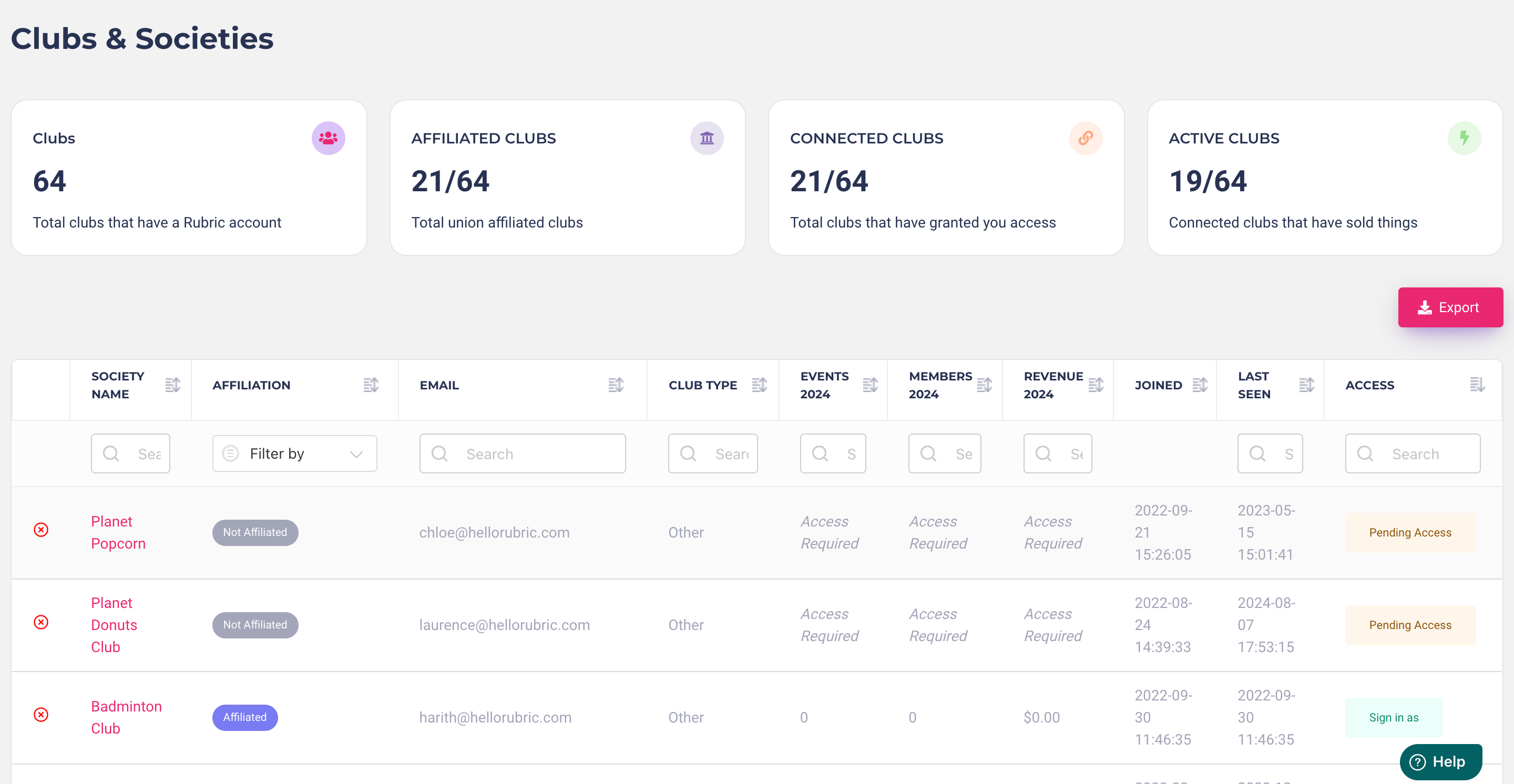
As you scroll down, you’ll see a complete list of clubs and societies from your university. For each club, easily view details like:
Club Name
Affiliation Status
Email Address
Club Type
Number of Events Organized This Year
Membership Count for the Year
Revenue from Memberships, Events, and Merchandise sales
Account Creation Date
Last Connection Date
Access Permission (indicating if you can log into their account)
Simply click on any club name for a detailed view of their activities. This includes a sales overview (for memberships, tickets, and merchandise), executive details, all submitted forms, and any funding requests they’ve made. You can also log into a club's account by clicking the Sign in as button on the right side of the table.
Was this helpful?
Still need help? Ask the team