Importing voters
Accessing the voter import wizard:
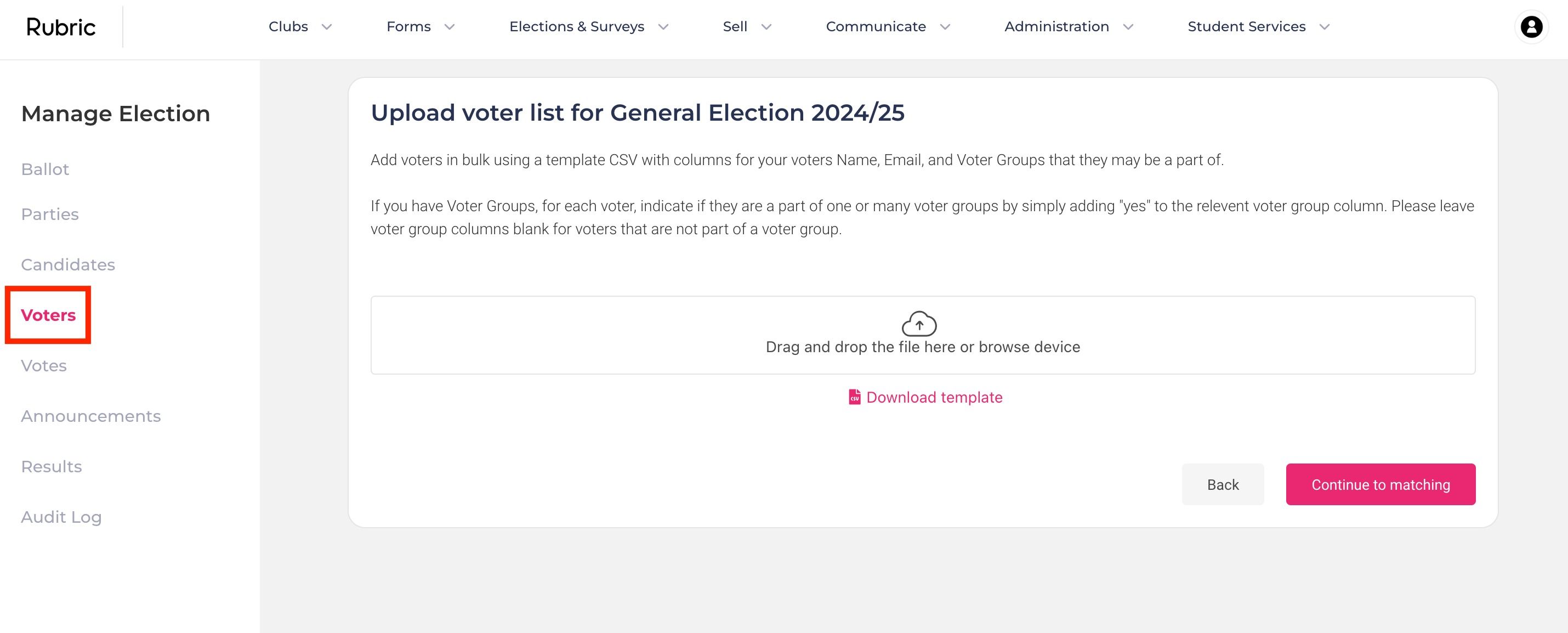
Once you've selected the election you want to manage, go to the Voters tab in the side menu.
Downloading the template:
Click the Import Voters button to access the bulk voter importing wizard.
Download the CSV template by clicking the Download Template button.
Preparing the CSV file:
Fill in all voter details in the downloaded template. Using the template helps minimize errors when importing voters in bulk.
Importing the voter list:
Once your CSV file is ready, upload it by following the on-screen instructions.
Click the Continue to Matching button to proceed.
Reviewing the voter list:
Review the list of voters you’re about to import. Any duplicate email addresses will be automatically removed during the import process.
Finalizing the import:
After reviewing, click the Review Import button to complete the import process.
Was this helpful?
Still need help? Ask the team