Preview Your Email Recipients Before Sending
Knowing exactly who will receive your email just got a whole lot easier.
We’ve introduced a new recipient preview on the email creation page, allowing you to review the complete recipient list before sending a campaign. You can now see exactly who your email will reach, making it easier to verify your audience and ensure your campaign is targeting the right people.
See your complete recipient list
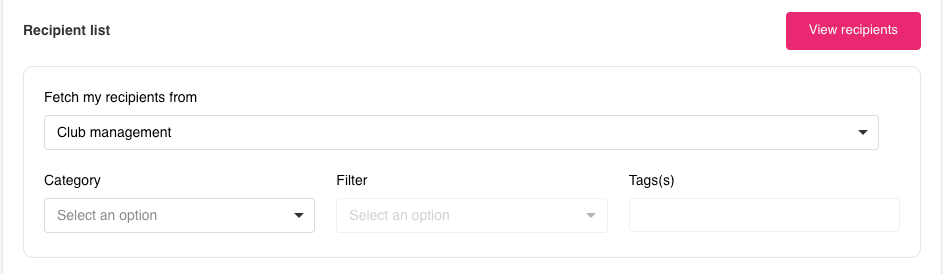
When creating an email, select View recipients button next to the Recipient list heading to open a side panel displaying all recipients included in your campaign.
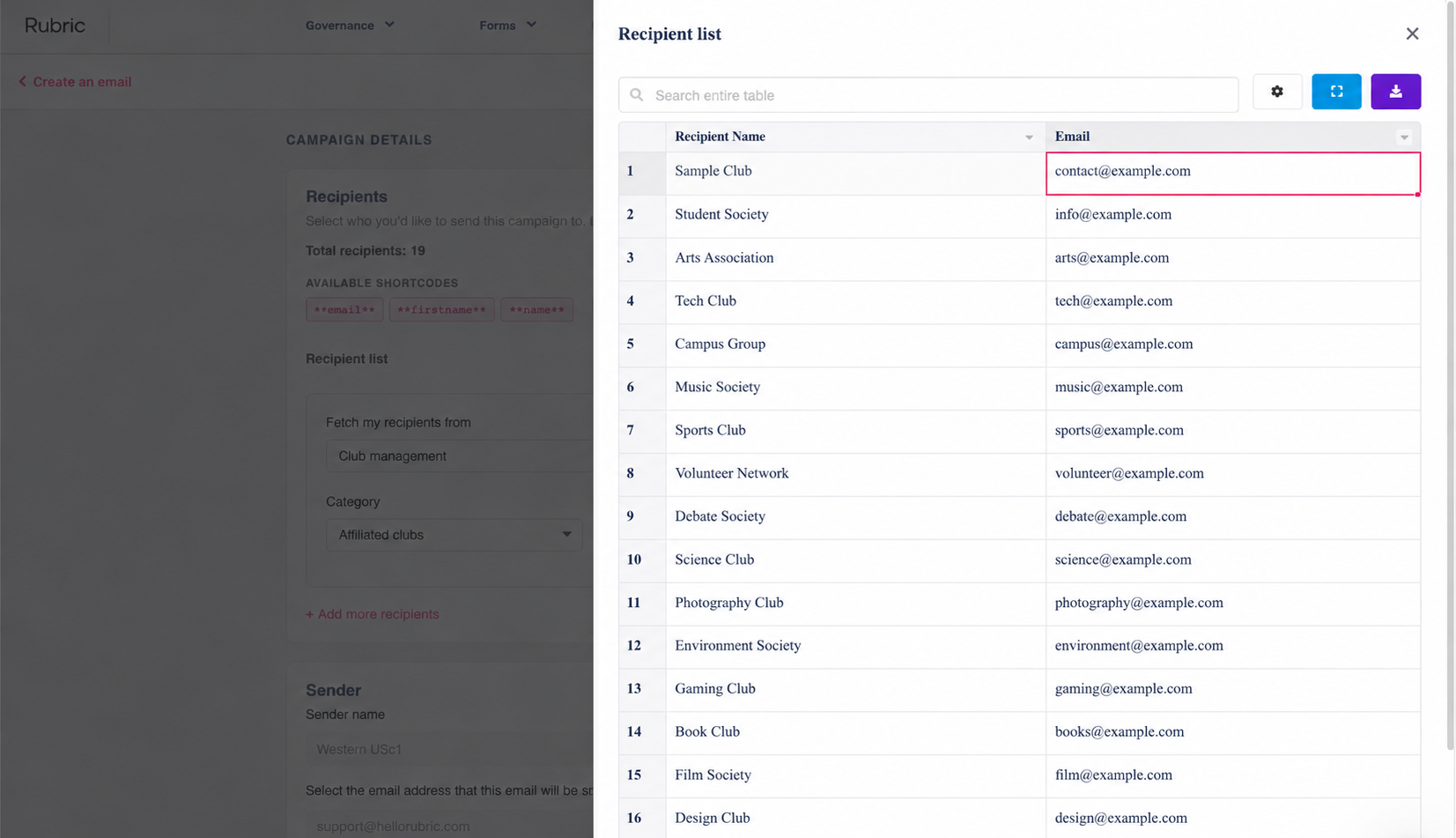
The recipient list shows each recipient’s name and email address, giving you a clear overview of your audience in one place.
Easily review and search recipients
The recipient panel makes it easier to inspect your audience before sending an email. You can search the recipient table to find specific recipients and review their details without leaving the email creation page.
This is especially useful when your recipients are selected dynamically, where the final recipient list depends on your chosen category, filters, and tags.
Understand how recipient counts work
Recipient lists can change over time as people match or stop matching your selected filters. Here’s what to keep in mind:
Email campaigns: The total recipient count can change during the campaign as people begin or stop matching your filters.
Email blasts: The recipient preview shows a snapshot of the current recipient list. The final recipient list is determined when the blast sends, based on who matches your filters at that time.
This helps you understand that the preview reflects the current audience, while the final recipients may differ depending on when the email is sent.
Useful for reviewing email campaigns
Verify your audience: Confirm that the intended recipients are included before sending your campaign.
Check recipient details: Review names and email addresses to identify unexpected or missing recipients.
Review filtered lists: See who is included after selecting categories, filters, and tags.